Automation | Home

Categories
Uncategorized

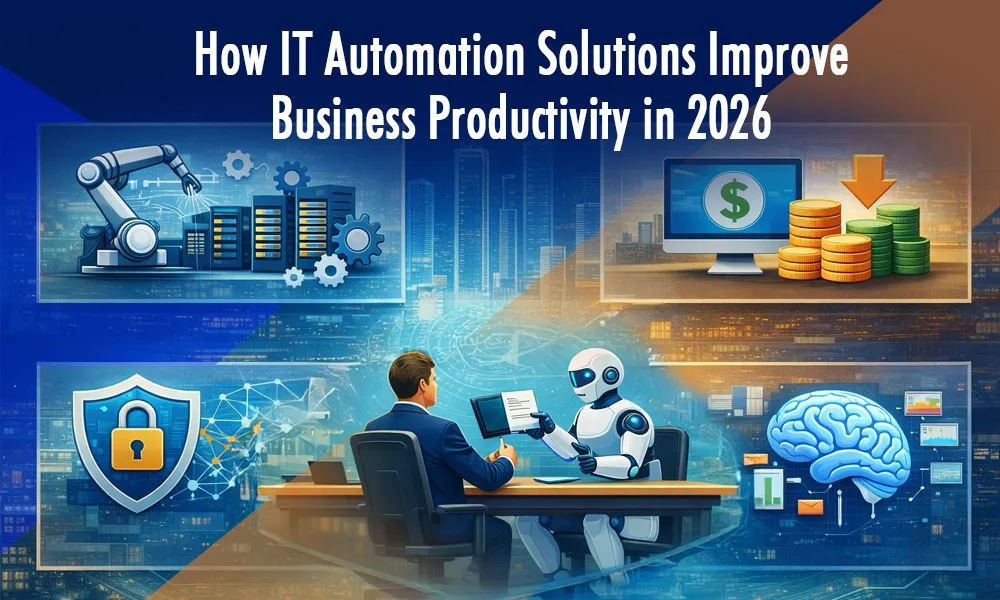
How IT Automation Solutions Improve Business Productivity in 2026 

How IT Automation Solutions Improve Business Productivity in 2026 

Business leaders today are feeling extra pressure to deliver results. Protracted inflation, market volatility, recession fears, and supply chain disruptions are pushing C-suite executives to cut costs and boost efficiency. Meanwhile, there’s constant pressure to offer better customer and employee experiences amidst a talent shortage. 

If this situation resonates with you, we know the pressure you are feeling right now. But what if we tell you there is a simple way around it to get more done with less—a way that can drive up efficiency while reducing employee burnout and boosting customer satisfaction? If you haven’t guessed it yet, let us spill the beans. We are talking about automation.  

For instance, to understand how IT automation solutions can help your IT team do more, let’s look at two scenarios: 

Real World Scenarios: IT Automation Solutions Meet Real Business Needs 

real world

Scenario 1: Software Management  

 1. Traditional Way 

Sarah in accounts uses Tally. The software license is due for renewal in two weeks. Without it, Sarah’s work will be hampered. In the midst of her busy schedule, Sarah has to keep reminding the IT team of the impending license renewal. The IT team has sent an email to the finance team asking for approval and release of funds. 

Sarah’s issue is not an isolated one. Tom’s work as a graphic designer similarly depends on Adobe Photoshop and Illustrator. With their licenses up for renewal in about two months, Tom is visibly worried about renewal delays due to approval cycles. 

These aren’t isolated cases and together account for 4–5 collective hours per week for the IT team and other concerned team members—the time that could have otherwise been spent on activities that drive revenue. 

2. IT Automation Way   

However, an IT automation solution can be easily deployed to solve this. Automation can be used to create a dashboard that offers comprehensive oversight into the status of all software in use. Through this dashboard, the IT team can have a quick glance at the total number of applications, active users, users per application, total spend, upcoming renewals, etc. 

Moreover, the system can be programmed to automatically raise renewal tickets and send a Slack message to the IT and Finance teams to get programs updated in time without the need for human intervention.  

Scenario 2: Incident Response  

 1. Traditional Way 

Steve in accounts logs in like any other day, but the system malfunctions. He immediately raises a ticket explaining the condition in brief and leaves a message on Slack. A representative from the IT team responds 20 minutes later, and he again explains the condition. Another 10 minutes pass before a representative from the IT team drops in to address the issue. By the time the issue is fixed, Steve loses one hour of his productive time.  

2. IT Automation Way   

The system malfunctions. Monitoring software detects the anomaly instantly. Business process automation triggers a script to address the anomaly while simultaneously raising a ticket, posting a message on Slack, and putting the task on the Trello board. Most of the time, the automation fixes the issue and keeps a log of the incident without human intervention. Thus, automation solutions improve response time, boost customer satisfaction, and greatly reduce operational stress. 

The Real Prize: More Than Just Efficiency 

price money

The scenarios described above are not mere fantasies or figments of imagination. They are examples of the daily benefits that organizations can have by implementing IT automation solutions. Today, automation has evolved from a ‘good-to-have’ tool to a ‘must-have’. Many employees and leaders, therefore, view automation as a complementary tool. 

In a recent survey, more than 90% of workers said that automation solutions increased their productivity. But beyond productivity and time savings, there are other benefits of automation that are often less talked about. 

1. Annihilate Human Errors  

In a recent survey, about 90% of employees revealed that they trusted automation solutions to get more done with fewer errors and help them make faster decisions. The reason behind this is simple. A machine does not make typos in a file name. It does not forget to notify a team member. It does not copy and paste the wrong data. Every process runs with perfect consistency, every single time. 

2. Boost Collaboration

Since automation takes on routine tasks, employees can spend more time collaborating with other teams and deepening customer relationships. In a recent survey, 85% of employees revealed that automation tools boosted collaboration across teams.  

3. Boost Employee Morale  

Let’s face it. Most of us do not relish performing tedious administrative tasks. With IT automation solutions deployed to take on those tasks, your brightest minds become free to do what you hired them for: to think, to create, and to solve meaningful problems. Hence, it is no surprise that in a recent survey, nearly 80% of employees said that automation gave them more time to take on challenging projects and deepen relationships with different stakeholders.  

4. Forge a Scalable Business 

A manual process that works for five clients will break completely with fifty. An automated workflow scales effortlessly. It performs its tasks with the same precision for the thousandth time as it did for the first, allowing your business to grow without operational chaos. Moreover, with more businesses offering similar products and competing at scale, automation solutions allow you to differentiate yourself and create your niche.  

Final Words 

The journey into embracing automation does not require scale or a massive budget. However, it can offer you incredible benefits, and it all begins with a mindset change. Start by closely observing your processes and identify the small processes that can be automated. 

More often than not, you will find countless areas where your employees are wasting their energy on mundane tasks—tasks that can be automated now to reap phenomenal benefits. If you are unsure how to do it, ask automation experts who have helped countless other businesses like yours through tailored IT automation services.  

Categories
Uncategorized

Aligning IT Business Processes with Automation for Scalable Growth 

Most businesses are addicted to the idea of “more.” They want more customers, more revenue, and more market share. But the “more” you have of something, the more it can break. Which is why having a business process automation is a necessity in 2026. 

If your current operations are held together by duct tape, good intentions, and a few frantic email chains, adding “more” won’t make you successful. It will just make you collapse faster. 

You don’t have a growth problem. You have a friction problem. And the only way to solve it is by ruthlessly aligning your it business process with reality, and then supercharging it with business process automation. 

This isn’t about buying new software to feel productive. It is about building a machine that works so you don’t have to. 

The Lie We Tell Ourselves About the IT Business Process 

lie

When we say it business process, we are not talking about a boring flow chart that your manager made three years ago and buried in a dusty Google Drive folder. 

An IT business process is simply the way things actually get done in your company. It is the reality of your workday. 

  • It is how a bug gets reported and eventually fixed. 
  • It is the steps you take to onboard a new developer. 
  • It is the chaotic scramble that happens when a server goes down at 2 AM. 

The problem is that for most companies, the IT business process is accidental. You didn’t design it; it just sort of happened. You started doing things a certain way when you were a team of five, and now that you are a team of fifty, you are still doing it that way. 

You rely on “tribal knowledge.” You rely on Steve from accounting remembering to forward an email to Sarah in IT. This is not a process. This is a liability. 

If your IT business process relies on human memory or manual effort for repetitive tasks, you are not ready to scale. You are barely ready to survive the week. 

Why Business Process Automation is the Only Way Out 

There is a misconception that business process automation is just for massive corporations with million-dollar budgets. People think it means building an army of robots to replace humans. 

That is nonsense. 

Business process automation is simply the act of taking the “robot work” away from the humans so the humans can do the “human work.” 

Humans are terrible at repetitive tasks. We get bored. We get tired. We make typos. We forget to click “save.” Computers, on the other hand, love repetition. They never get bored, they never sleep, and they follow instructions perfectly every single time. 

When you refuse to embrace business process automation, you are essentially paying smart, creative people to act like bad computers. You are burning cash and burning out your team. 

But you cannot automate a mess. 

If you take a chaotic, broken IT business process and apply automation to it, you don’t get efficiency. You just get chaos delivered at the speed of light. Before you automate anything, you have to fix the foundation. 

Step 1: The Ruthless Audit of Your IT Business Process 

You need to look at your operations and be honest about how ugly they are. This requires an audit. Not a financial audit, but a workflow audit. 

Pick a critical IT business process. Let’s look at “Employee Onboarding” as an example. 

In most companies, this process is a disaster. HR sends an email. IT misses the email. The new guy shows up on Monday. He has no laptop. He has no login credentials. He spends three days reading old PDFs while IT scrambles to set up his permissions. 

This is a broken it business process. 

To fix this, you have to map it out step-by-step. 

  1. Where does the data come from? 
  2. Who touches it? 
  3. Where does it wait for approval? 
  4. Why does it take so long? 

You will likely find that 50% of the steps in your current IT business process are useless. They exist because of legacy rules that don’t matter anymore, or because managers want to feel involved by “approving” things they don’t actually read. 

Cut the fat. Simplify the it business process until it is a straight line. Only then have you earned the right to talk about automation. 

Step 2: Implementing Business Process Automation (Without the Headache) 

Once you have a clean, logical workflow, you can apply business process automation. 

Let’s go back to the onboarding example. 

In an aligned system, HR enters the new hire’s data into their portal. That is the only manual step. From there, business process automation takes over: 

  1. The system automatically creates a ticket for IT. 
  2. It automatically creates the email account and Slack login. 
  3. It automatically provisions access to the specific software the new hire needs based on their role. 
  4. It automatically sends a welcome email with login details on day one. 

No lost emails. No waiting. No “Steve forgot to press the button.” 

This is the power of aligning your IT business process with automation. You turn a three-day headache into a three-second background task. 

The Hidden Costs of Ignoring IT Business Process Alignment 

You might be thinking, “This sounds nice, but we are too busy to change right now.” 

That is the trap. You are too busy because you haven’t changed. 

If you ignore the alignment of your it business process, you are paying a “chaos tax” on every single project. 

1. The Cost of Context Switching 

Every time your lead developer has to stop coding to manually reset a server or grant access to a file, you are losing money. It takes about 23 minutes to get back into deep focus after an interruption. A manual IT business process is an interruption factory. 

2.The Cost of Errors 

Manual data entry is the enemy of accuracy. One typo in a code deployment script can bring down your site. One missed checkbox in a compliance form can get you sued. Business process automation removes the “oops” factor. 

3. The Cost of Morale 

Smart people hate doing dumb work. If you force your team to spend hours on data entry or manual updates, they will leave. They will go work for a company that respects their time enough to use business process automation. 

Real-World Scenarios: IT Business Process Meets Automation 

Let’s look at a few more specific areas where this alignment changes the game. We need to move beyond theory and look at where the rubber meets the road. 

Incident Management 

The Old Way: A server crashes. A customer notices and complains on Twitter. Your support team sees the Tweet and emails the engineering manager. The manager calls a developer. The developer wakes up, logs in, and starts looking for logs.  

The Aligned Way: The server crashes. Monitoring software detects the anomaly instantly. Business process automation triggers a script to restart the service. It simultaneously alerts the on-call engineer via an app and posts a status update to your internal dashboard. The problem is often fixed before the customer even tweets. 

Software Deployment 

The Old Way: Developers write code. They manually upload files to a server. They manually run database migrations. They cross their fingers.  

The Aligned Way: Developers push code to a repository. A Continuous Integration/Continuous Deployment (CI/CD) pipeline kicks in. This is pure it business process logic hard-coded into the system. It runs tests. It builds the application. It deploys it. If anything fails, it automatically rolls back the changes. 

Compliance and Security 

The Old Way: Once a quarter, the CTO runs around asking everyone if they changed their passwords. You fill out a spreadsheet to prove you are secure.  

The Aligned Way: Business process automation tools scan your network 24/7. They enforce password policies automatically. They flag suspicious activity the moment it happens. Compliance isn’t a quarterly panic; it is a continuous state of being. 

Overcoming the “Robots Will Take My Job” Fear 

overcome

When you start talking about business process automation, some people on your team will get nervous. They will think you are trying to downsize. 

You need to address this head-on. 

The goal of improving the IT business process is not to fire people. It is to promote them. 

You need to explain that you are automating the parts of their job that they hate. You are taking away the drudgery so they can focus on high-value tasks. You are giving them better tools, not replacing them. 

A scalable company needs humans to do human things: strategy, empathy, complex problem solving, and design. You cannot automate those things. But you can automate the data shuffling that slows those humans down. 

The Scalability Mindset 

Scale is not about getting bigger. It is about getting stronger. 

A small company with a flawless ITbusiness process can outmaneuver a giant corporation that is bogged down in bureaucracy and manual workflows. 

When you align your operations with business process automation, you create a structure that can handle weight. You can double your customer base without doubling your support tickets. You can launch more products without hiring twice as many developers. 

You decouple your revenue growth from your headcount growth. That is the holy grail of business. 

How to Start Today (Without Blowing Up Your Company) 

Do not try to automate everything overnight. That is a rookie mistake. 

1.Start with the “Low Hanging Fruit.” 

Identify the one IT business process that causes the most pain. Is it password resets? Is it software testing? Is it client reporting? 

2. Map it out. 

Identify the logic. “If this happens, then that happens.” 

3. Find a simple tool to handle that logic. 

Once you fix one process, move to the next. It is a snowball effect. As you clean up your it business process landscape, your team will have more free time. They can use that free time to fix more processes. 

Or 

Hire an automation expert to do all of this for you while you sit back and focus on the stuff that really matters. 

Conclusion: Stop Working Harder 

We have been taught that hard work solves everything. But in the world of IT, hard work on the wrong things is just waste. 

You don’t get a medal for manually doing something a computer could do in a millisecond. You just get left behind. 

If you want scalable growth, you have to stop viewing business process automation as a luxury item. It is the engine of modern business. 

Look at your workflows. Be honest about where the friction is. Let experts fix the IT business process first, then apply the automation. 

It is time to stop drowning in the chaos of your own making. Build a system that works, so you can get back to doing the work that actually matters. 

Categories
Uncategorized

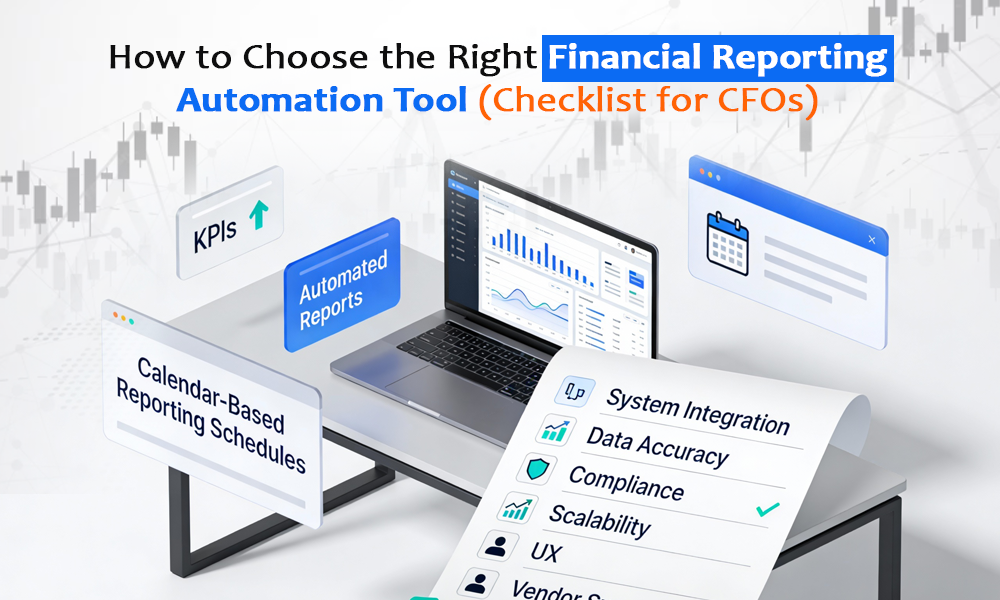
How to Choose the Right Financial Reporting Automation Tool (Checklist for CFOs)

Lets consider a hypothetical: You are under immense pressure. The board wants to know why you aren’t using Generative AI to predict next quarter’s revenue with 99% accuracy. Your controller is telling you the month-end close still takes fifteen days because your ERP from 2005 doesn’t talk to the CRM. And the vendors? They are promising you magic buttons. They promise that if you just sign this contract for their finance automation solutions, your data silos will vanish, your forecasts will be autonomous, and you will finally have time to be “strategic.” 

But the truth is, most digital transformation projects fail. They don’t fail because the technology is bad. They fail because the people buying them are solving the wrong problems, ignoring their own dirty data, and buying into a fantasy of effortlessness that simply does not exist. 

If you are looking to automate financial reporting, you don’t need another sales pitch. You need a reality check. You need to strip away the vanity metrics and the buzzwords and confront the messy, painful reality of your current financial operations. 

Here is the checklist that actually matters—the one that will stop you from burning a hole in your budget on a tool that becomes expensive shelfware. 

1. The Pre-Purchase Autopsy: Fix Your House First 

Before you even look at a vendor list or schedule a demo for new finance automation solutions, you have work to do. Most finance leaders skip this step because it is unsexy, difficult, and reveals uncomfortable truths about their own department. But if you try to automate financial reporting on top of a broken process, you don’t get efficiency. You just get a faster mess. 

The Data Reality Check  

Automation relies on data. AI relies on lots of data. If your data is fragmented, inconsistent, or riddled with errors, no amount of machine learning will fix it. In fact, AI will just hallucinate faster and more confidently based on your bad inputs. 

Ask yourself: Do you have a unified Chart of Accounts across all entities? If Entity “A” books travel to code 5001 and Entity “B” books it to 6002, your attempt to automate financial reporting will fail. You cannot automate consolidation if the underlying structures are mismatched. You need to standardize before you automate. 

Process Mapping 

A common mistake is trying to replicate your current manual process in a new automated tool. This is called paving the cow path. Your current process was likely designed around the limitations of spreadsheets and paper. It has approvals that exist only because someone made a mistake ten years ago. It has reconciliations that are redundant. 

If you digitize a bad process using expensive finance automation solutions, you haven’t improved anything; you’ve just made the bad process expensive. Simplify first. Eliminate steps. Only then should you look for software. 

2. The Psychology of the Buy: Check Your Ego 

The biggest risks to your project are not technological; they are psychological. They are the cognitive biases that lead highly intelligent finance leaders to make catastrophic investment decisions when trying to automate financial reporting.  

The Sunk Cost Fallacy  

You have likely spent millions on your current ERP system. It is slow, clunky, and requires a PhD to generate a custom report. et, when you look for modern finance automation solutions, you hesitate. You say, “We have already invested so much in SAP/Oracle; we need to leverage that investment.” 

This is the Sunk Cost Fallacy. The money is gone. Continuing to use a substandard reporting module just because you paid for it is not fiscal responsibility; it is masochism. Modern architectures allow you to keep the transaction engine (the ERP) while layering superior finance automation solutions on top. Don’t let past spending dictate your future agility. 

The Build vs. Buy Trap  

There is a pervasive myth in large organizations that their problems are unique, and therefore, they must build their own solution. However, Your goal to automate financial reporting is likely not unique. Revenue recognition, consolidation, and variance analysis are problems that have been solved by specialized vendors who spend millions on R&D. 

When you decide to build an internal tool, you are signing up to maintain it forever. Unless you are a fintech company, your competitive advantage does not come from how you code your general ledger script. It comes from how you use the data. Leave the building to the software companies. 

3. The “BS Detector” for Vendor Demos 

When you sit in a demo for finance automation solutions, the salesperson will show you the “Happy Path.” Everything works perfectly. The data is clean. The AI answers every question instantly. Your job is to break the fourth wall. 

Demand to See the Error Logs  

Don’t ask “Can you do X?” They will always say “Yes.” Ask “How do you do X?” and “Show me what happens when it breaks.” Ask to see what happens when an API connection fails. Ask to see how the system handles a partial payment with a foreign currency exchange variance. If they can’t show you the failure state, they are hiding the complexity of the maintenance required to automate financial reporting reliably.  

The Seamless Integration Lie  

There is no such thing as seamless integration. It is a myth. Legacy systems often lack modern APIs and rely on flat-file transfers (SFTP), which are slow and prone to error. If a vendor of finance automation solutions says integration is “plug and play,” they are treating you like a child. Dig deeper. Ask for the specific documentation on their connectors to your specific version of your ERP. 

4. The AI Safety Checklist 

Artificial Intelligence is the defining feature of the 2025 landscape for anyone trying to automate financial reporting, but it is also the most dangerous. We are moving from predictive AI to generative AI, and that brings a new set of risks. 

The Hallucination Risk  

Generative AI models are essentially stochastic parrots. They predict the next likely word in a sequence. They do not know facts. In financial reporting, where accuracy is paramount, this is terrifying. There have been documented cases where AI tools fabricated financial margins or invented regulatory policies. 

You need a human-in-the-loop workflow. AI drafts; Human approves. Never let AI publish directly to a system of record or a stakeholder without review. You must treat AI as a junior analyst: smart, but prone to making things up. 

Data Privacy and IP Leakage  

If you paste your unreleased Q3 financials into a public model to summarize them, you might have just trained the model on your insider information. That data could theoretically be surfaced to a competitor. You need explicit contractual guarantees that your data is not used to train the vendor’s foundation models. Ask the hard questions about data residency and zero-retention policies before you move to automate financial reporting with GenAI. 

5. The Hidden Costs of Ownership 

The license fee is just the tip of the iceberg. The total cost of ownership (TCO) for most finance automation solutions is often 3x to 5x the annual subscription. If you budget only for the software, you will run out of money before you go live. 

Implementation is a Growth Tax  

Implementation services often cost 100% to 200% of the first year’s software cost. Vendors might lowball this to get the deal signed, then hit you with “change orders” when your messy data requires extra weeks of cleaning. Add a 30% contingency buffer to your budget specifically for data issues. 

The Cost of Shelfware  

The most insidious cost is paying for software that no one uses. This happens when you buy a complex tool that requires a steep learning curve. If only one power user knows how to use the system, and that person leaves, the software becomes shelfware. You need to track active usage metrics ruthlessly. If the team is logging in just to export data back to Excel, your attempt to automate financial reporting has failed. 

6. The Talent Equation: You Need an Automation Expert 

Trying to automate financial reporting changes the job description of your finance team. You no longer need people who are good at data entry (button pushers). You need people who are good at data interpretation (strategists) and exception handling. 

But who is going to set up these finance automation solutions? Who is going to maintain the scripts, manage the API keys, and troubleshoot the integration errors? 

Don’t Rely on IT  

Your internal IT department is busy fixing laptops and managing cybersecurity. They do not have the bandwidth to tweak your financial reporting workflows every month. 

The Automation Expert Role  

You need a dedicated automation expert. This could be an internal hire or an external partner. This person sits at the intersection of finance and technology. They understand debits and credits, but they also understand APIs and SQL. 

If you cannot afford a full-time expert, this is where Automation Expert comes in. Instead of hiring a generic developer who doesn’t understand finance, or an expensive local consultant, you can look for specialized talent that focuses specifically on finance automation. 

Companies like Automation Expert allow you to hire pre-vetted talent from the top 10% of the global pool. These aren’t just random freelancers; they are professionals who can act as that critical bridge between your legacy systems and your new finance automation solutions. They can clean your data, build your dashboards, and maintain your integrations for a fraction of the cost of a local hire. is often the missing link that prevents your project to automate financial reporting from becoming shelfware. 

7. Security and Compliance: The Non-Negotiables 

Do not treat compliance as a checkbox. In 2025, your financial data is a prime target for ransomware, and using insecure finance automation solutions is like leaving the vault door open.  

SOC 2 Type II vs. ISO 27001  

Know the difference. A SOC 2 Type II report proves that the vendor’s controls actually worked over a period of time. A Type I report is just a snapshot and is practically useless for long-term assurance. If you have global operations, look for ISO 27001 certification before you automate financial reporting. 

Single-Tenant vs. Multi-Tenant  

This is a technical decision with massive security implications. Multi-tenant is cheaper and scales better, but your data lives in the same “apartment building” as everyone else. Single-tenant architecture isolates your data physically. For highly regulated industries, single-tenant might be non-negotiable to prevent “data bleed.” 

The Bottom Line 

Choosing the right finance automation solutions is not about technology; it is about self-awareness. It is about admitting that your current processes are flawed, your data is dirty, and your team is tired. 

Here is your summary checklist to automate financial reporting without the headache 

  1. Fix the Data First: Standardize your Chart of Accounts and clean your vendor master data before buying anything. 
  1. Define the Problem: Don’t buy a Swiss Army Knife. Buy a tool that solves the one specific pain point (e.g., Close Management, AP Automation) that causes 80% of your stress. 
  1. Grill the Vendor: Ask to see error logs and failure states. Ignore the happy path demo. 
  1. Secure the Talent: Ensure you have an automation expert—either internal or through a partner like Automation Expert-who can actually run the machine. 
  1. Budget for Reality: Triple your implementation budget estimates to account for change management and data cleaning. 

The goal is not to have the coolest AI. The goal is to have a finance function that sleeps at night because the numbers are right. Choose the finance automation solutions -and the automation experts -that get you there.